Planning
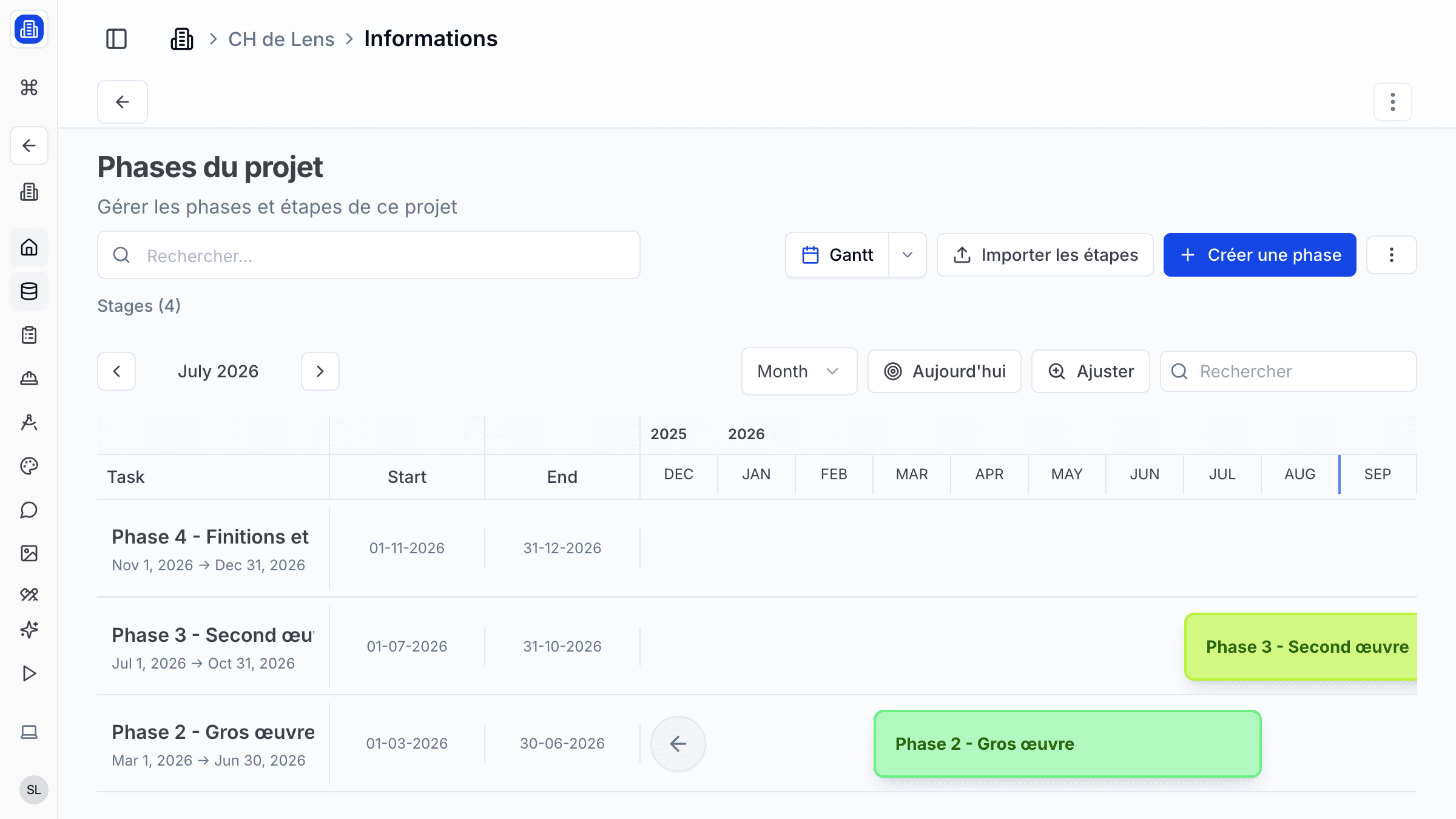
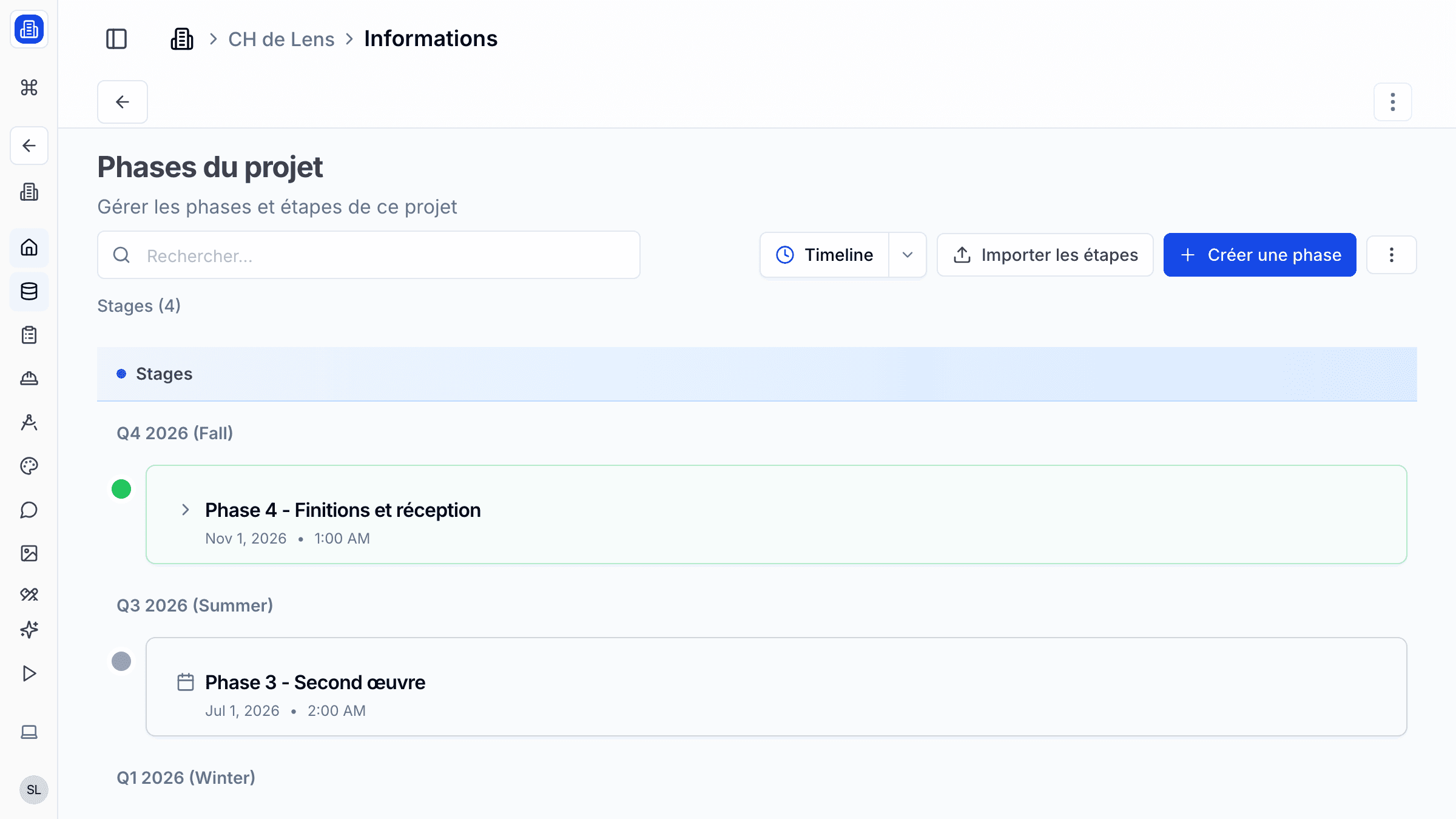
Keep your architecture projects on track with SuperArchi Planning. Define milestones, set deadlines for each project stage, and monitor progress across all your active projects from a single timeline view.
Key Capabilities
- Visual timeline view of project milestones and deadlines
- Define project stages with start and end dates
- Track progress with status indicators per stage
- Overview of all active projects on a consolidated planning board
- Set reminders for upcoming deadlines
How It Works
- Open the Planning section from your workspace navigation.
- Click Add Stage to create a new project stage — give it a name, start date, and end date.
- Organise stages into milestones to mark key delivery points (e.g., "Permit submission", "Construction start").
- Monitor the consolidated timeline to spot overlaps or resource conflicts across projects.
Tips & Best Practices
- Start by defining the major milestones first, then break them into detailed stages.
- Use the consolidated view regularly to spot scheduling conflicts between projects.
- Set deadline reminders at least one week before critical submissions.
- Review and update your planning weekly to keep it accurate and useful for the team.
Related Features
- Projects — Each project has its own planning section
- Tasks — Break down stages into actionable tasks
- Meetings — Link meetings to planning milestones
FAQ
Can I see the planning for all my projects at once? Yes. The consolidated planning view shows all active projects on a single timeline, so you can spot overlaps and allocate resources effectively.
Can I export the planning as a Gantt chart? The planning view displays as a timeline. You can export it as a PDF for sharing with clients or external stakeholders.
Who can edit the planning? Any workspace member with editor access can create and modify stages. Viewers can see the timeline but cannot make changes.
Last updated: 10 April 2026