Meetings
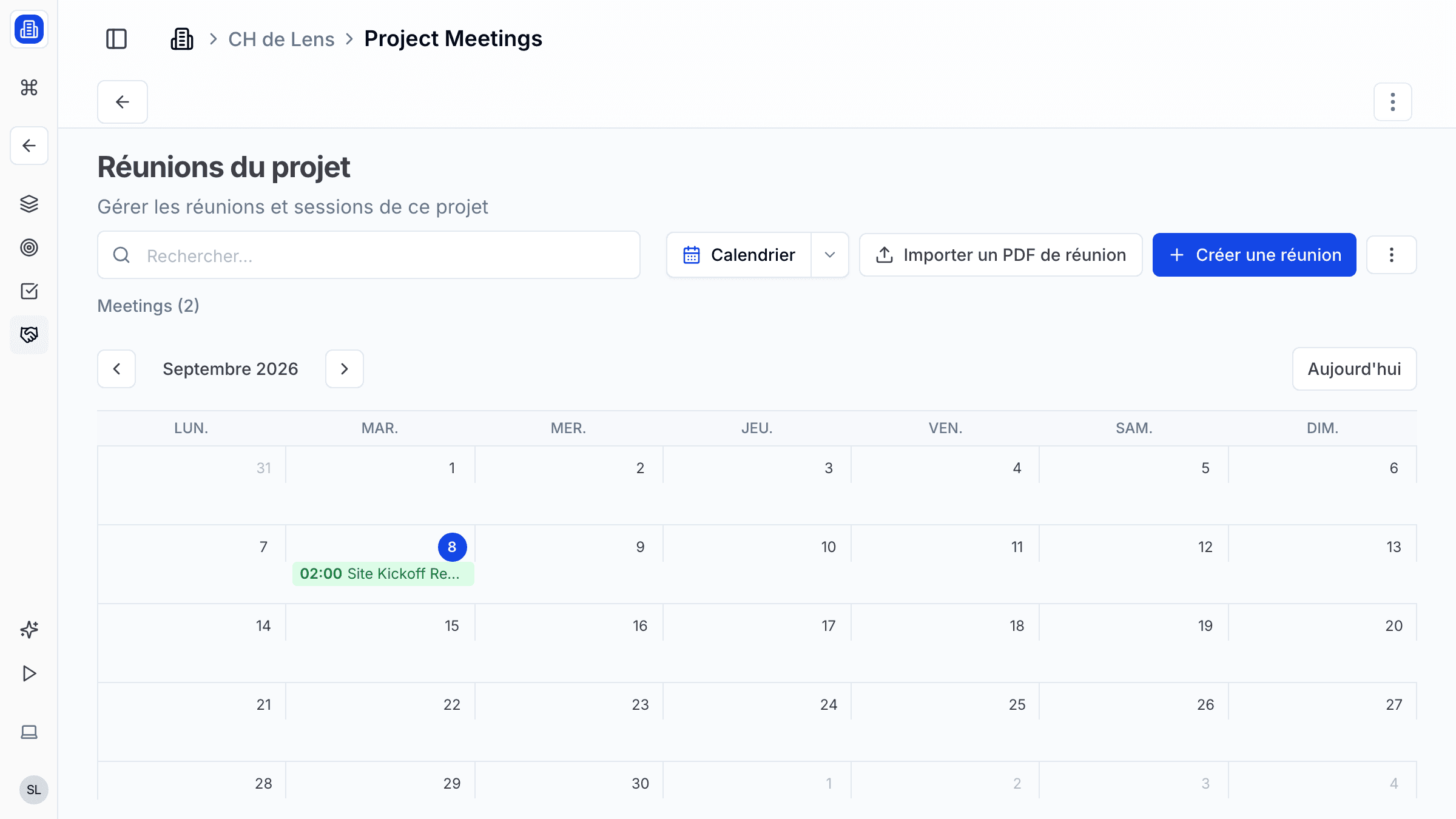
SuperArchi Meetings helps your team prepare, run, and follow up on project meetings. Schedule meetings, generate AI-powered structured notes from your sources, and produce a branded PDF report so nothing is lost between sessions — the calendar view below gives you an at-a-glance overview of upcoming and past meetings.
Key Capabilities
- Schedule meetings with date, time, location, attendees, and agenda
- AI-generated meeting minutes from your agenda and notes with one click
- Track action items created during the meeting and convert them to tasks
- Send meeting invitations and minutes by email directly from SuperArchi
- Calendar sync with Google Calendar and Microsoft Outlook
How It Works
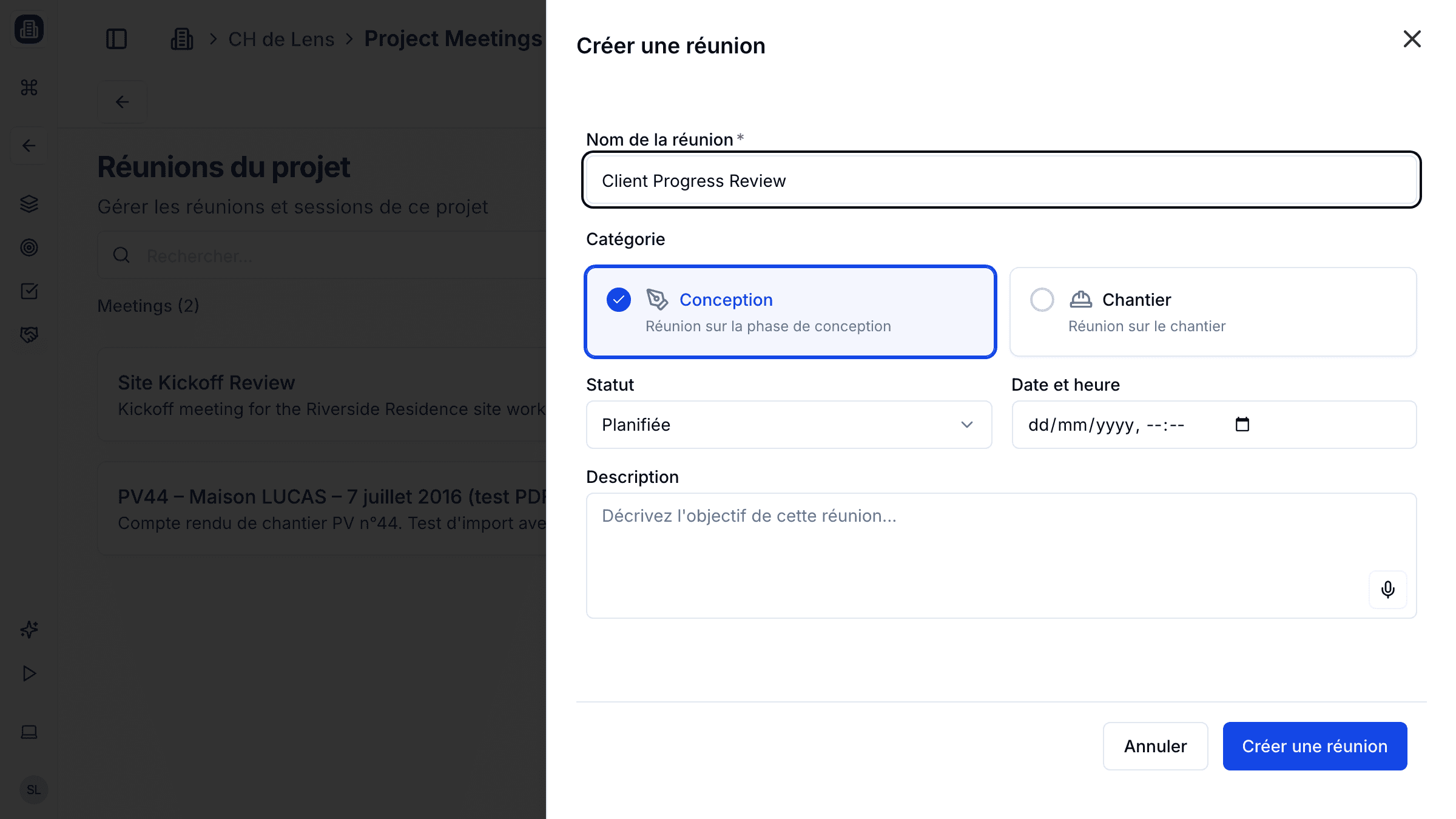
- Go to the Meetings tab inside a project and click Create Meeting. Give it a name, set the date and status, and save.
- Open the meeting and add a source — paste meeting notes, a transcript, or upload a document. The source text is saved and stays visible so you can review or edit it later.
- Click Start extraction on the Structured notes tab. SuperArchi's AI reads your sources and produces a structured summary — topics discussed, decisions, and action items — ready to review and edit.
- Once you're happy with the structured notes, go to the PDF report tab and click Generate PDF report to produce a branded, shareable PDF. Action items from the structured notes can be converted into tasks with one click.
Tips & Best Practices
- Prepare the agenda at least one day before so attendees can review it in advance.
- Use the "Previous meeting follow-up" section in your agenda to ensure continuity between meetings.
- Assign a minute-taker role at the start of each meeting to keep notes consistent.
- Review generated minutes before sharing — AI does the heavy lifting, but a quick check ensures accuracy.
Related Features
- Planning — Link meetings to planning milestones
- Tasks — Action items from meetings become trackable tasks
- Notes — Capture additional context and follow-up details
FAQ
Can external participants join a meeting? Yes. You can invite external contacts by email. They will receive the agenda and, after the meeting, the generated minutes.
Does SuperArchi integrate with Google Calendar or Outlook? Yes. Calendar sync is available for both. Meetings created in SuperArchi will appear in your connected calendar automatically.
Can I edit meeting minutes after they are generated? Absolutely. Minutes remain editable until you explicitly lock them. Once locked, a versioned PDF is archived for the record.
Last updated: 10 April 2026