Documents & Files
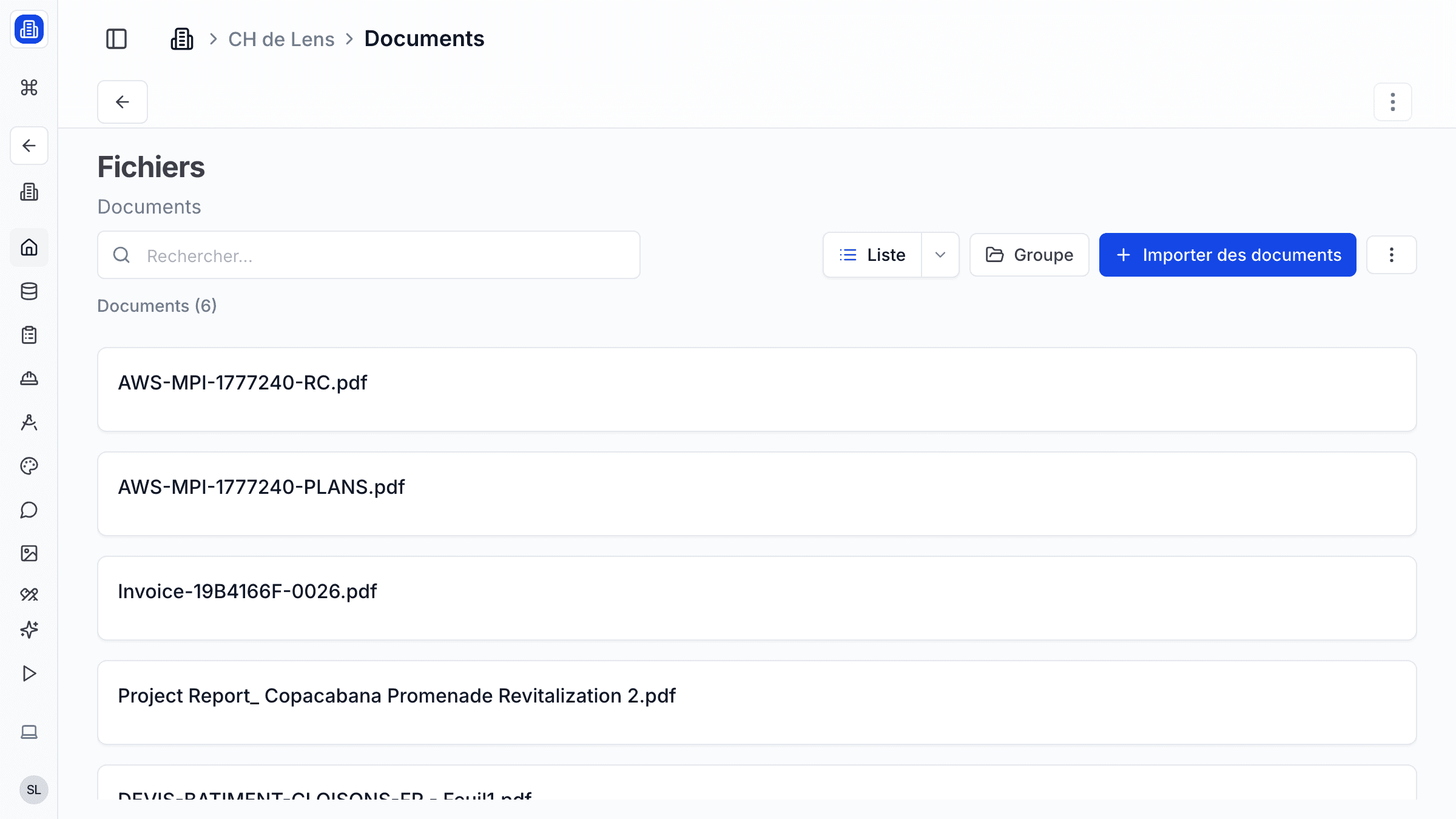
Keep all your project documents in one place with SuperArchi Documents. Upload plans, contracts, reports, and specifications, then let AI extraction pull key data from your PDFs so you spend less time reading and more time designing.
Key Capabilities
- Upload files of any type (PDF, DWG, DOCX, images, spreadsheets) with drag-and-drop
- Organise documents into folders by phase, discipline, or custom structure
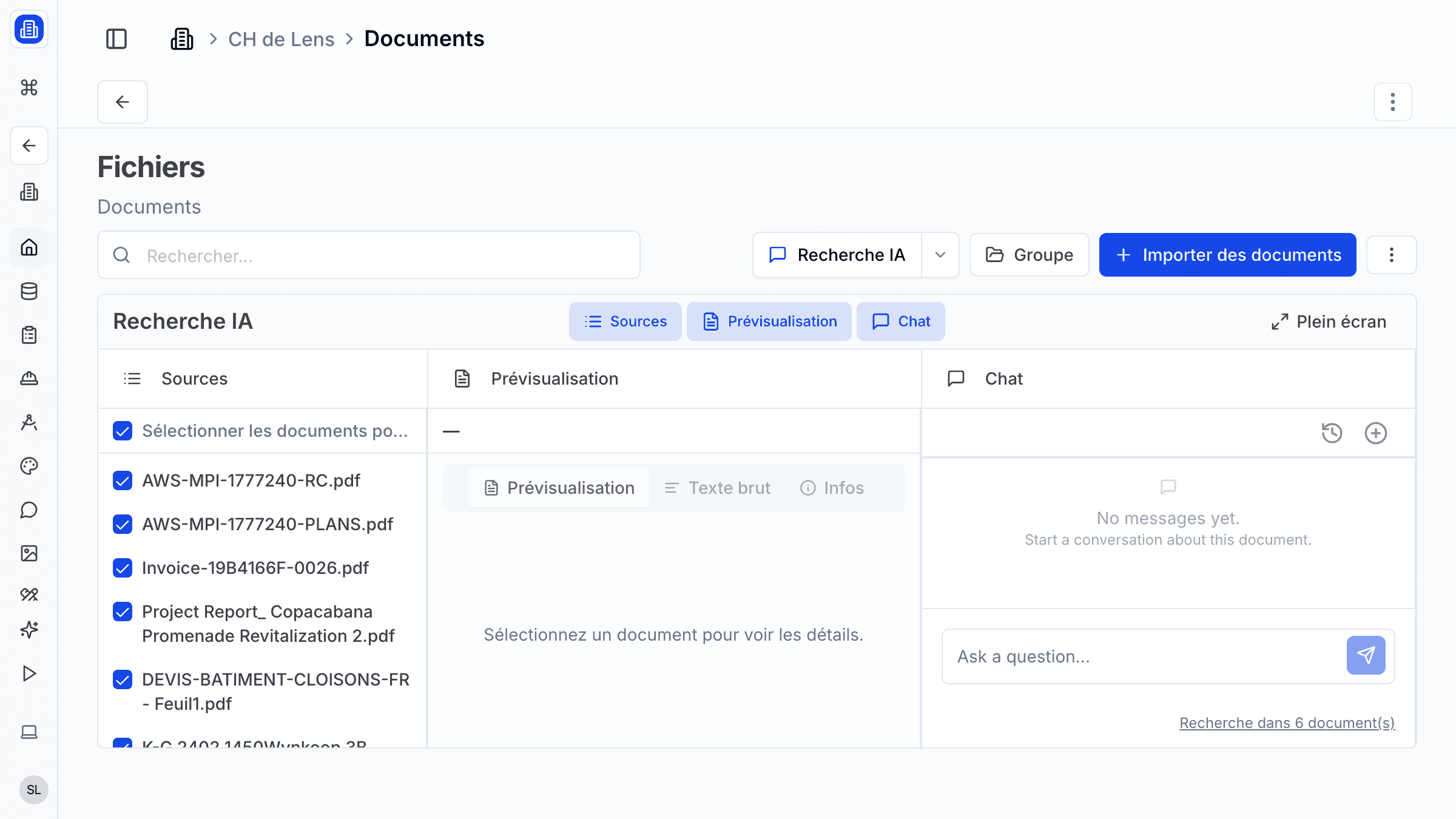
- AI-powered PDF import: automatically extract tables, key figures, and summaries from uploaded PDFs
- Version control — upload a new revision and keep the full history of previous versions
- Full-text search across all uploaded documents
- Set access permissions per folder or file (view, edit, download)
How It Works
- Open a project and navigate to the Documents tab. Create a folder structure or use the suggested template.
- Drag files into a folder or click Upload. Documents are scanned and indexed automatically.
- For PDF files, click Extract with AI to pull structured data such as areas, costs, or regulatory references.
- Use the search bar to find documents by name, content, or extracted metadata.
- To update a document, click Upload New Version. The previous version is archived and accessible from the version history panel.
Tips & Best Practices
- Use a consistent folder structure across projects (e.g., "01-Admin / 02-Design / 03-Permits / 04-Execution") for easy navigation.
- Enable AI extraction on permit documents to quickly capture key regulatory constraints.
- Share download links with external consultants instead of emailing large attachments.
- Review the version history before meetings to ensure you are referencing the latest revision.
Related Features
- Drawings — Manage technical drawings and CAD files with revision tracking
- Projects — Documents are stored within their parent project context
- Photos — Store project photos alongside your documents
FAQ
What is the storage limit per project? Each project has 10 GB of document storage on the standard plan. Additional storage can be purchased if needed.
Can I bulk-download an entire folder? Yes. Right-click a folder and select Download as ZIP. All files and sub-folders are packaged into a single archive.
Is AI extraction available for scanned PDFs? Yes. The extraction engine includes OCR capabilities, so scanned documents are processed as well, though accuracy may vary depending on scan quality.
Last updated: 10 April 2026