Construction
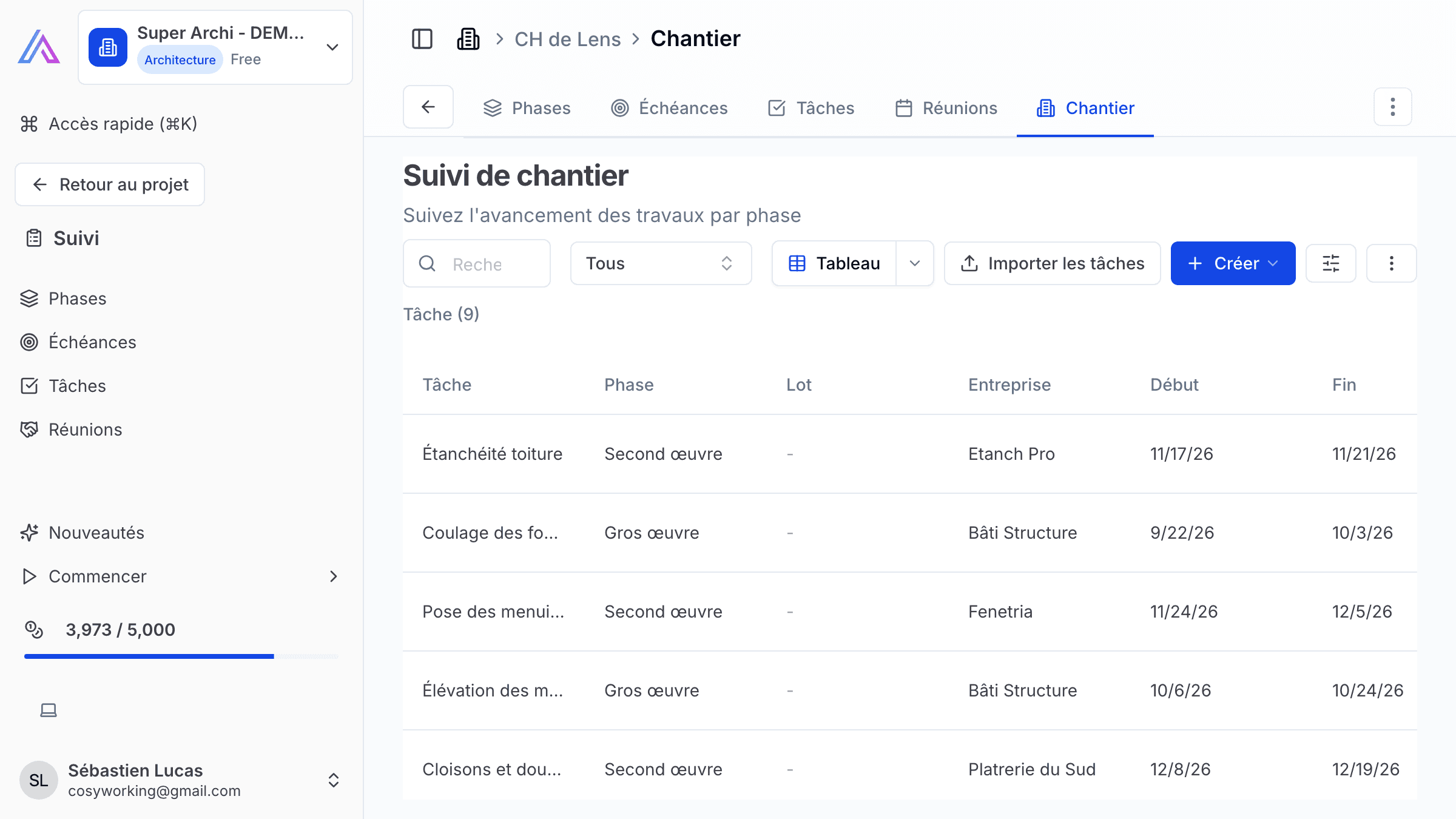
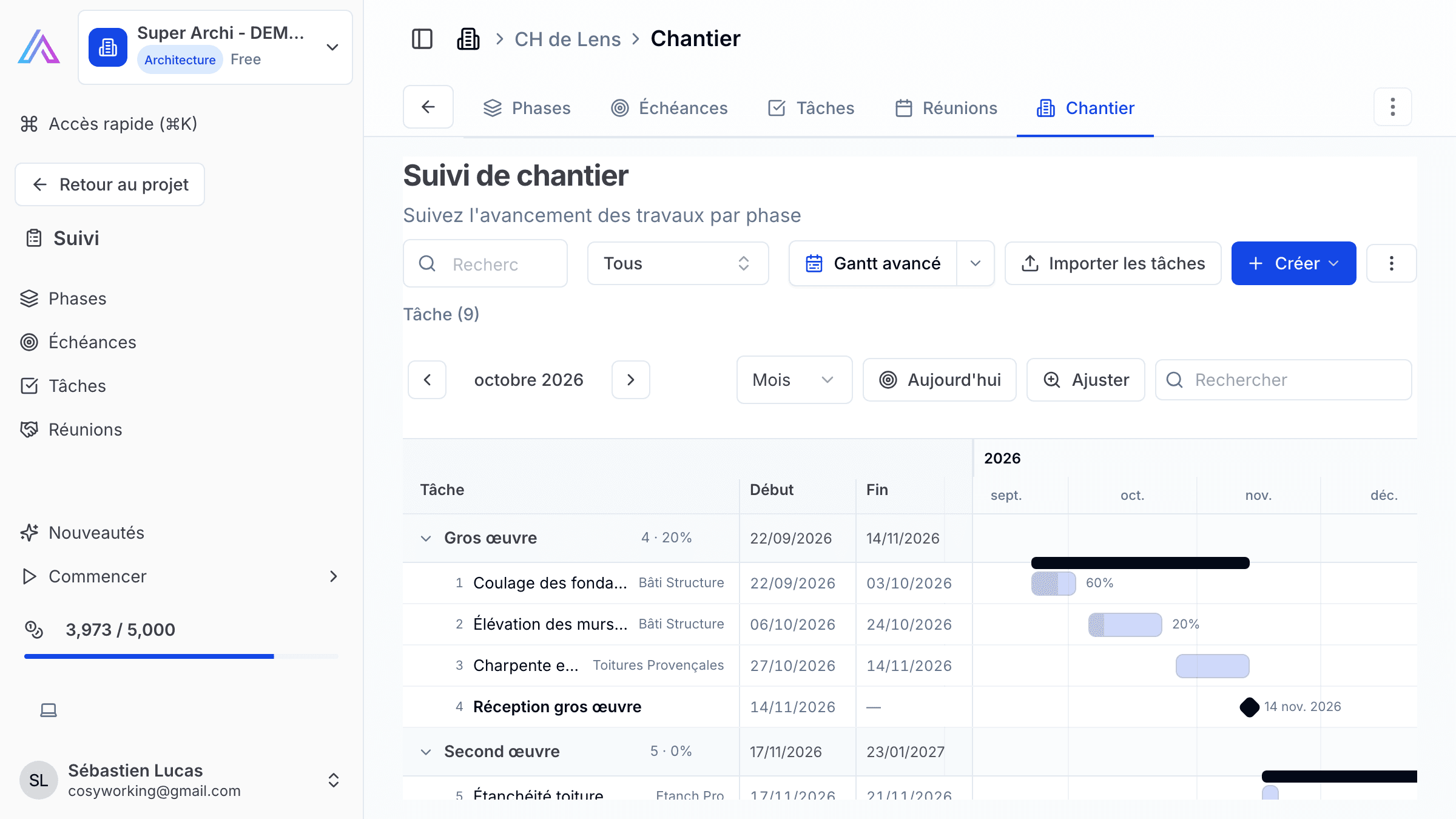
Track your construction site schedule with SuperArchi Construction. Organise the works into phases and tasks, assign each task to a trade and a company, and follow progress against your baseline in a Gantt view — all from within the project.
Key Capabilities
- Organise the site schedule into phases, each containing an ordered list of tasks
- Assign each task to a trade (lot) with its own colour, and to the company carrying it out
- Set start and end dates for each task, plus a baseline to track slippage
- Track progress with a percentage complete per task
- Mark key tasks as milestones
- Link tasks together with predecessors to reflect dependencies
- View the whole schedule as an interactive Gantt chart
How It Works
- Open the Construction tab from the project tracking navigation.
- Click Add Phase to create a phase of the works (e.g. "Foundations", "Framing", "Finishes").
- Within a phase, add tasks — set the trade, the company responsible, and the start and end dates.
- Mark important tasks as milestones, and link dependent tasks using predecessors.
- As work progresses, update each task's completion percentage to keep the Gantt view current.
- Compare current dates against the baseline to spot delays early.
Tips & Best Practices
- Set a baseline as soon as the schedule is agreed, so you can measure slippage as the project evolves.
- Use trade colours in the Gantt view to quickly spot which company has the most work scheduled at any time.
- Mark milestones for key handover or inspection dates so they stand out on the timeline.
- Link predecessor tasks for anything that can't start until another task finishes, to catch scheduling conflicts early.
Related Features
- Planning — Track project-level stages and milestones alongside the detailed site schedule
- Tasks — Manage general project tasks outside the construction schedule
- Meetings — Link site meetings to phases and tasks in the schedule
FAQ
Can I see how far behind schedule a task is? Yes. Each task keeps its baseline start and end dates alongside the current dates, so you can compare planned versus actual directly in the Gantt view.
Who can edit the construction schedule? Any workspace member with editor access can create and modify phases and tasks. Viewers can see the schedule but cannot make changes.
Can I link a task to a specific company? Yes. Each task can be assigned to a trade and to the company responsible for carrying it out.
Last updated: 6 September 2026